

How Access Control Systems Are Replacing Traditional Keys in Modern Workplaces
October 1st, 2026
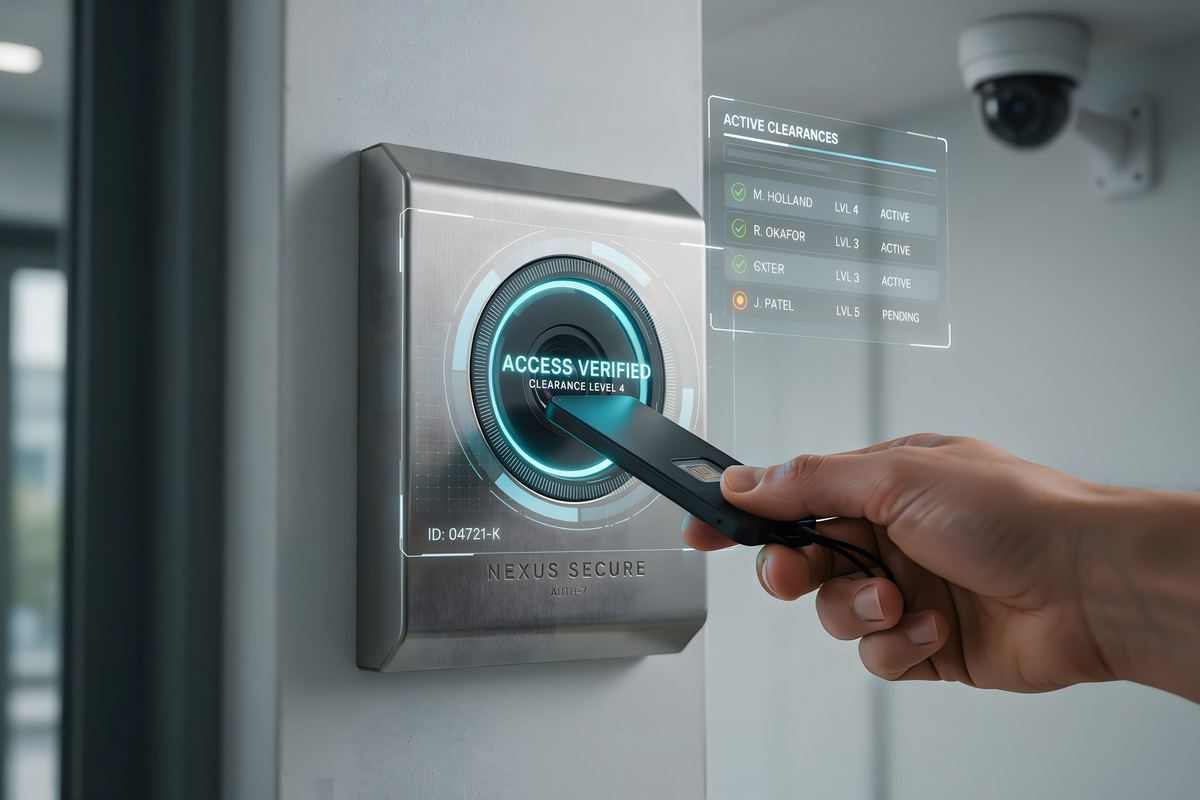
A metal key is the cheapest security device a business can buy and one of the most expensive things it will ever manage. It costs a few dollars to cut, it cannot be recalled once it leaves the building, and it leaves no record of where it has been. That trade-off made sense when a workplace was one building, one shift, and a handful of doors. It stops making sense the moment a business adds a second location, a server room, or a contractor who needs in for two weeks and should never get in again.
That is the gap access control systems close. Instead of granting entry with brass anyone can copy, an electronic system grants entry with a credential that lives in a database - and a database can be edited in seconds.
Why Traditional Keys Stop Scaling
Mechanical keys work fine until the day they do not:
- Keys cannot be taken back. When an employee leaves, the key in their pocket does not. The only remedy is to rekey every lock it opened and reissue keys to everyone else.
- Copies are untraceable. A hardware store will duplicate most keys for a few dollars, so most businesses cannot say how many copies exist or who holds them.
- There is no record. A key used at 2 a.m. on a Sunday leaves no evidence. When inventory goes missing or a restricted area is entered after hours, there is nothing to review.
- Access is all or nothing. A key cannot open a door only on weekdays, and it cannot be scoped to one wing of a building.
- Shared spaces get messy. Shared keys get passed around, lost, and duplicated, and nobody can say who has what.
None of these are unusual events. They are the ordinary cost of running on mechanical locks, paid quietly through rekeying invoices, lost productivity, and incidents no one can explain.
The Shift: From Hardware to Credentials
An electronic access control system moves the decision about who gets in out of the lock and into software. A reader sits at the door, a controller makes the decision, and a management platform holds the rules. The credential - a card, a fob, a PIN, a phone, or a fingerprint - is simply the proof of identity presented at the door. When something changes, a locksmith visit becomes a few clicks: a credential can be deactivated the same hour an employee is terminated, and every door it opened stops recognizing it.
What Businesses Gain From the Switch
Instant revocation
The largest benefit is removing access the moment circumstances change. Terminations, lost badges, stolen phones, and contractors whose work is finished are all handled from a dashboard rather than a locksmith's schedule, which also means the rekeying invoice disappears. Adding a hire means issuing a credential; removing one means deactivating it.
An audit trail that holds up
Every swipe is a timestamped record: who, which door, what time, and whether the attempt was granted or denied. That data settles questions keys cannot answer at all - which door was propped open overnight, who entered the pharmacy after hours, whether a vendor actually showed up. For regulated industries and any business that must demonstrate care of restricted areas, that record is often the difference between a defensible position and a guess.
Access scoped to reality
Schedules and zones grant exactly the access a role requires. Custodial staff get the building overnight but not the server room. A delivery driver gets a receiving door and nothing else. That precision is impossible with a ring of keys, and it is a main reason organizations with sensitive areas make the change. It also means three buildings are not meaningfully harder to manage than one.
The Credential Options in Use Today
Key cards and fobs
The most common starting point and usually the cheapest per credential. Proximity cards are fast, familiar, and easy to issue in bulk. Modern cards are also far harder to clone than the older 125 kHz generation, which is worth confirming before a system is specified. PIN codes remain useful as a backup when a card is forgotten or as a second factor, though a shared code cannot be traced to a person.
Mobile credentials
Credentials issued to a phone are growing fastest because almost everyone already carries the hardware. Nothing to lose, nothing to print, nothing to hand back on the last day - and no card to buy or replace.
Biometrics
Fingerprint and similar readers tie access to a person rather than to an object that can be passed along. They are usually reserved for the highest-security doors - data closets, cash-handling areas, evidence storage - where the cost is justified and few people use the door.
Access Control Works Better Alongside Your Other Systems
Access control is worth more when it is tied into the systems around it. Integrated with video surveillance, an access event can pull up the camera covering that door, so a denied attempt or an after-hours entry comes with footage attached. Tied to an intrusion alarm, the same platform can arm and disarm automatically as the first authorized person arrives and the last one leaves.
All of it depends on what is underneath. Readers, controllers, and cameras need power and a reliable network connection at each door, which is why projects usually start with a look at the building's network cabling. On larger sites the management platform also becomes part of the IT environment, so many organizations bring their managed IT provider into the conversation early.
What to Plan Before You Switch
- Start with a door survey. Which doors need control, which need only monitoring, and which should stay mechanical. Most facilities do not need every door on the system on day one.
- Decide cloud or on-premise. Cloud makes remote administration simple; on-premise keeps everything inside the building. Both are legitimate depending on how you operate.
- Check the licensing requirement. In Texas, access control installation is regulated work. HTS holds Texas DPS Private Security Bureau License #B20729, and any installer's standing should be confirmed before signing.
- Plan a phased rollout. Controlling the perimeter and the most sensitive interior doors first delivers most of the benefit early and spreads the cost.
- Think about growth. A platform that handles one door should handle forty without being replaced.
Traditional keys are not disappearing from every door, and they do not need to. But for the doors that matter - the ones protecting people, inventory, records, and infrastructure - the businesses moving away from keys are doing it for reasons that hold up: access they can revoke, activity they can review, and a system that grows with them instead of being rekeyed around them.
Talk to HTS About Access Control
HTS Voice & Data Systems designs, installs, and maintains access control systems for businesses across San Antonio and South Central Texas, and has been a licensed, locally owned technology partner since 1986. Whether you are replacing a ring of keys at one door or standardizing credentials across several locations, our team can survey the site and recommend a system sized to how you operate. Call (210) 495-5520 or contact us to get started.
Posted in: Access Control