

Keys, Badges, and Phones: How People Get In
February 15th, 2027
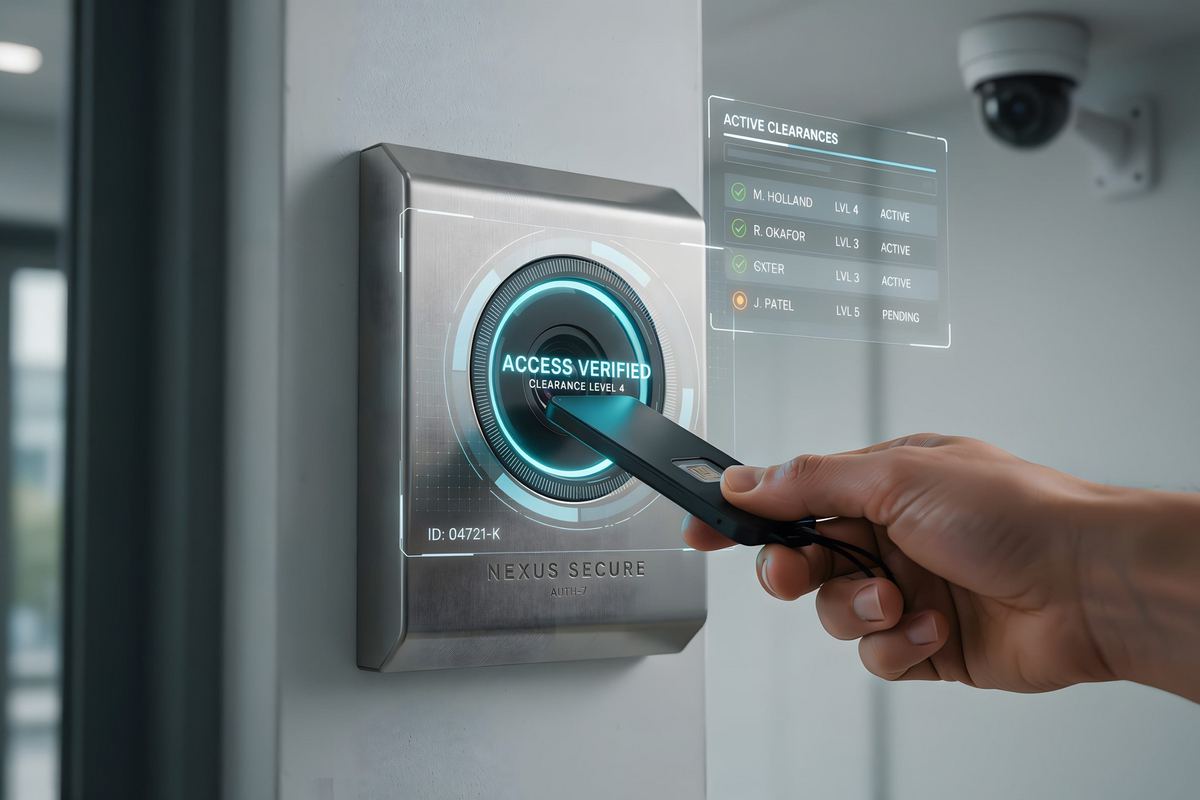
Every building has a front door problem, and it is usually not the front door. It is the side door that stays unlocked for the cleaning crew, the storage room everyone treats as shared, and the office where the only credential is a key that was copied three times before anyone thought to count.
The good news is that choosing how people get in has become simpler. Modern access control offers a handful of credential types, each with a clear best use. The trick is matching the credential to the door instead of buying one kind for the whole building.
Mechanical keys are not the villain
It is tempting to replace every lock with a reader. That is rarely the best use of money. Mechanical keys work fine on low-risk doors, such as a supply closet that holds paper and pens. They are simple, they do not need power, and they do not fail during a network outage.
The trouble starts when keys protect anything that matters. A key cannot be recalled, cannot be scheduled, and leaves no record. If losing one would mean rekeying several doors and notifying several people, that door has outgrown the key.
Badges and key cards: the reliable default
A proximity card or fob is the most common choice for good reason. It is familiar, quick, and inexpensive per credential. Employees already understand it, vendors support it, and issuing one takes minutes. When someone leaves, the credential is deactivated in the system and stops opening doors immediately.
Cards are also easy to share, which is both the strength and the weakness. The system records the card, not the person. If two employees pass one badge back and forth, the access log will show only that the badge made the trip. For most offices that is an acceptable trade-off, but it is worth saying out loud before the first incident review.
When choosing cards, ask about the technology inside. Older cards are easier to copy than modern ones. A reputable installer will explain the difference and match the card to the risk of the door, not just the price per unit.
Phones: the credential people already carry
Mobile credentials put the badge inside a phone or watch. There is nothing to print, nothing to lose, and nothing to collect on the last day. Issuing access to a new hire can happen before they reach the building, and revoking it happens from the same dashboard as everything else.
The catch is dependency. A phone with a dead battery cannot open a door. Visitors and contractors may not want to install an app for a two-hour visit. For those cases, keep cards or a temporary PIN as a backup rather than forcing every guest into the phone system.
PINs and biometrics: useful in the right place
A PIN is a good second factor, a reasonable fallback when a card is forgotten, and a workable option for a door that only a few people use. What it is not is a way to identify a person. A shared code is a shared code, and the log will say only that the code was used.
Biometrics, such as a fingerprint reader, tie access to a person rather than an object. That precision is valuable at a server room, a cash-handling area, or a records room with a small, stable group of users. It is usually overkill at the front entrance, where the line moves faster with a card.
Match the credential to the door
- Front entrance: cards or mobile credentials, with a camera covering the door and a schedule for after-hours access.
- Employee entrances: cards or mobile, with a clear policy about tailgating and propped doors.
- Server room and records: card plus PIN, or biometrics, with every entry logged.
- Utility closet and low-risk storage: a mechanical key may be entirely fine.
- Visitors and contractors: temporary cards or time-limited PINs, collected at the end of the visit.
This mix keeps costs down and puts the strongest controls where they matter. It also avoids the common mistake of installing an expensive system everywhere and then undermining it with a propped door because the reader is slow or the card is inconvenient.
Plan for the day the system is unhappy
Electronic access depends on power and, in many systems, a network connection. Ask what happens during an outage: does the door fail open, fail locked, or fall back to a mechanical key? The answer should depend on the door. A server room should stay locked. A main exit should always let people leave.
Also plan for the human side. Where is the manual key kept? Who knows how to use it? How does a manager grant temporary access when the software is unreachable? A short written procedure prevents a lockout from turning into a broken door.
Start with a door survey
Before choosing equipment, list every exterior door and every interior door that protects something valuable. Mark how many people use each one, when it needs to open, and what happens if the wrong person gets through. That list turns an abstract security project into a budget with a clear order of work.
HTS Voice & Data Systems designs and installs access control systems in San Antonio and works through exactly this survey with each customer. If you are tired of managing keys, call (210) 495-5520 or contact us and we will start with the doors that matter most.
Posted in: Access Control